
Last week, I got a panicked call from my neighbor Maria. She’s a freelance graphic designer who works from home, and something was wrong with her internet. Not the usual «it’s running slow» complaint – she’d noticed strange devices connected to her WiFi network. Devices she didn’t recognize. Someone had been using her internet connection for who knows how long, potentially accessing her work files, client information, everything.
This wasn’t just an inconvenience. For Maria, whose entire income depends on secure remote work, this was a nightmare. And here’s the scary part: according to a 2023 security report, approximately 32% of home WiFi networks have at least one significant security vulnerability. That’s nearly one in three households.
Your internet connection isn’t just about watching Netflix or browsing social media anymore. It’s your home office. It’s your kids’ classroom. It’s your banking, your shopping, your medical consultations, your private conversations with family across the country. When we talk about internet service at Wifinet, we’re not just talking about speed and reliability – we’re talking about creating a secure foundation for your entire digital life.
Let me walk you through everything you need to know about securing your home internet in 2024, based on both technical best practices and real-world situations I’ve seen play out hundreds of times.
Understanding Why Home Network Security Actually Matters
Before we dive into the how, let’s talk about the why. Because I know what you’re thinking: «I’m not important enough to hack. Who cares about my home WiFi?»
The Reality of Modern Cyber Threats
Here’s what most people don’t understand: hackers aren’t just targeting banks and corporations anymore. They’re targeting regular people, and they’re doing it at scale using automated tools that scan thousands of home networks looking for easy targets.
Think about what runs on your internet connection right now. Your smart TV that knows what you watch and when. Your laptop with saved passwords to your email, bank accounts, and social media. Your phone that backs up photos to the cloud. Your kids’ tablets with their school accounts. Your home security cameras. Your smart thermostat. Your voice assistant that listens for commands.
Each of these devices is a potential entry point. And once someone gains access to your network, they don’t just steal your bandwidth – they can:
Monitor your internet activity – seeing what websites you visit, what you search for, building a profile of your habits and interests that can be sold to data brokers or used for targeted scams.
Intercept sensitive information – capturing login credentials, financial data, personal communications. Even if websites use encryption, there are ways to compromise that security if someone controls your network.
Use your connection for illegal activities – your IP address becomes the one associated with downloading pirated content, sending spam emails, or worse. When authorities trace it back, they trace it to your address.
Access your connected devices – security cameras meant to protect your home become windows for strangers to look inside. Smart locks could potentially be compromised. Baby monitors could be accessed by unauthorized individuals.
Launch attacks on others – your compromised devices become part of a botnet used to attack other systems, often without you ever knowing.
I’m not trying to scare you. I’m trying to give you the real picture so you understand why the next section matters so much.
The Foundation: Your Router Is Your First Line of Defense
Every home network starts with a router – that box with blinking lights that you probably stuck in a closet and haven’t thought about since the day it was installed. But your router is actually the gatekeeper of your entire home network.
Change That Default Password (Seriously)
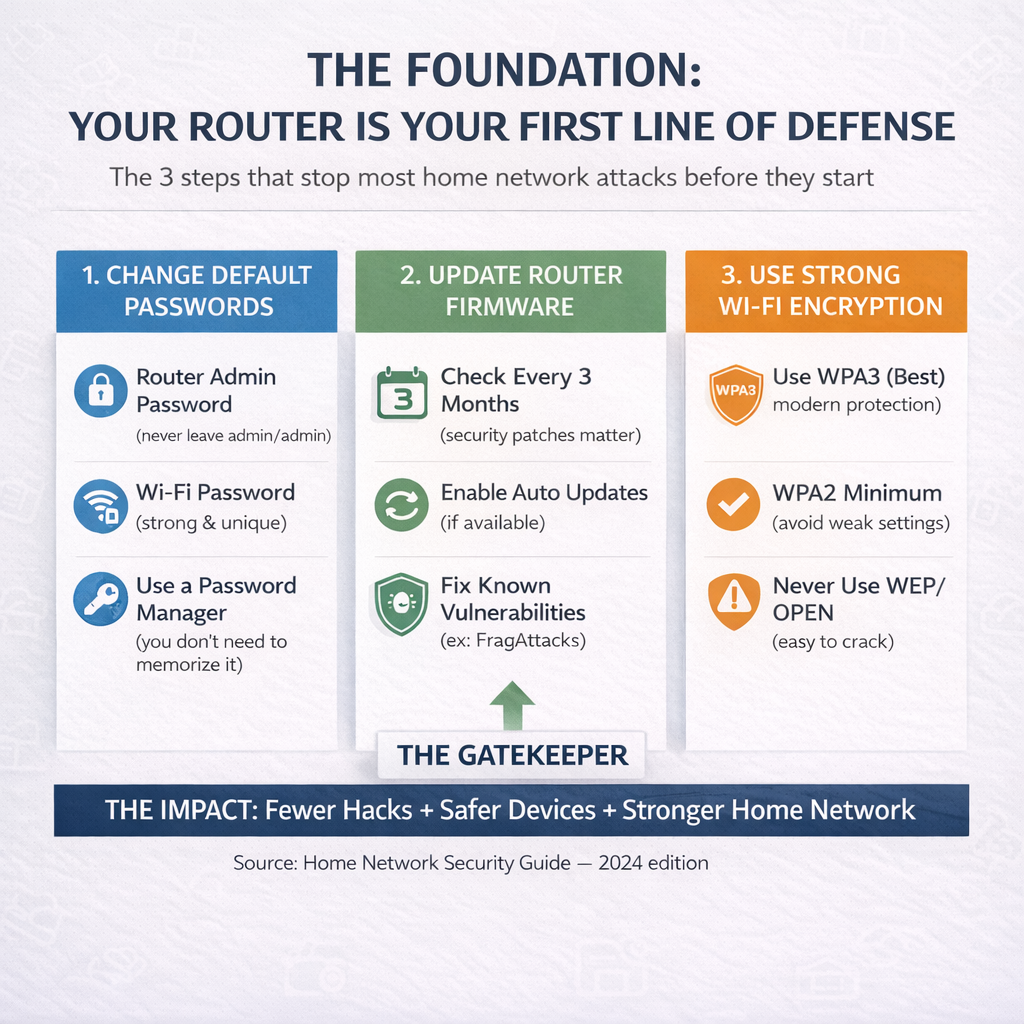
This is the single most important thing you can do, and it’s shocking how many people don’t do it. When I helped Maria secure her network, guess what her router admin password was? The default «admin/admin» combination that came from the factory.
Here’s what happens with default passwords: there are publicly available databases listing the default credentials for every router model from every manufacturer. Someone scanning for vulnerable networks can identify your router model (it broadcasts this information) and immediately try the known default credentials. If you never changed them, they’re in.
But here’s where most people make their next mistake: they change the password to something «memorable.» Like «internet123» or their street address or their dog’s name. These passwords take seconds to crack with modern tools.
You need a genuinely strong password for your router admin panel – something like «K9$mPq2#vL8nR5@wX4!» that’s impossible to guess and extremely difficult to crack. I know what you’re thinking: «How am I supposed to remember that?»
You don’t need to remember it. You need to save it somewhere secure (like a password manager) because you’ll only need to access your router settings occasionally. What matters is that this password is essentially unbreakable.
Create separate strong passwords for:
- Your router admin panel (the interface where you change settings)
- Your WiFi network itself (what people enter to connect)
- Any other admin interfaces on your network devices
Update Your Router Firmware Regularly
Your router runs software, just like your computer or phone. And just like those devices, that software has bugs and security vulnerabilities that get discovered over time. Manufacturers release firmware updates to fix these issues.
The problem? Most routers don’t update automatically, and most people never think to check for updates.
I learned this lesson the hard way when a major router vulnerability was announced in 2022. The exploit, called «FragAttacks,» affected millions of routers worldwide. I immediately updated all my equipment. Maria? She had no idea updates were even a thing. Her router was still running firmware from 2019, vulnerable to dozens of known exploits.
Check your router settings at least every three months. Look for a «firmware update» or «software update» section. If an update is available, apply it. Many newer routers offer automatic updates – enable this feature if you have it.
Use WPA3 Encryption (or WPA2 at Minimum)
Your WiFi encryption is what scrambles the data traveling between your devices and your router, making it unreadable to anyone trying to intercept it.
If your router settings show «WEP» or «Open» security, you have essentially no protection. It’s like having a lock made of cardboard. Anyone with basic tools can access your network in minutes.
WPA2 is the current standard and provides solid security when configured properly. WPA3 is the newest standard with even better protection, though not all devices support it yet.
Go into your router settings right now and verify you’re using at least WPA2-AES encryption. If your router is so old it doesn’t support WPA2, it’s time to replace it. The security risk isn’t worth saving a few dollars on an old router.
Securing Your Devices: Beyond the Router
Your router security is critical, but it’s not the whole picture. Every device connected to your internet needs its own security measures.
Computer and Phone Basics
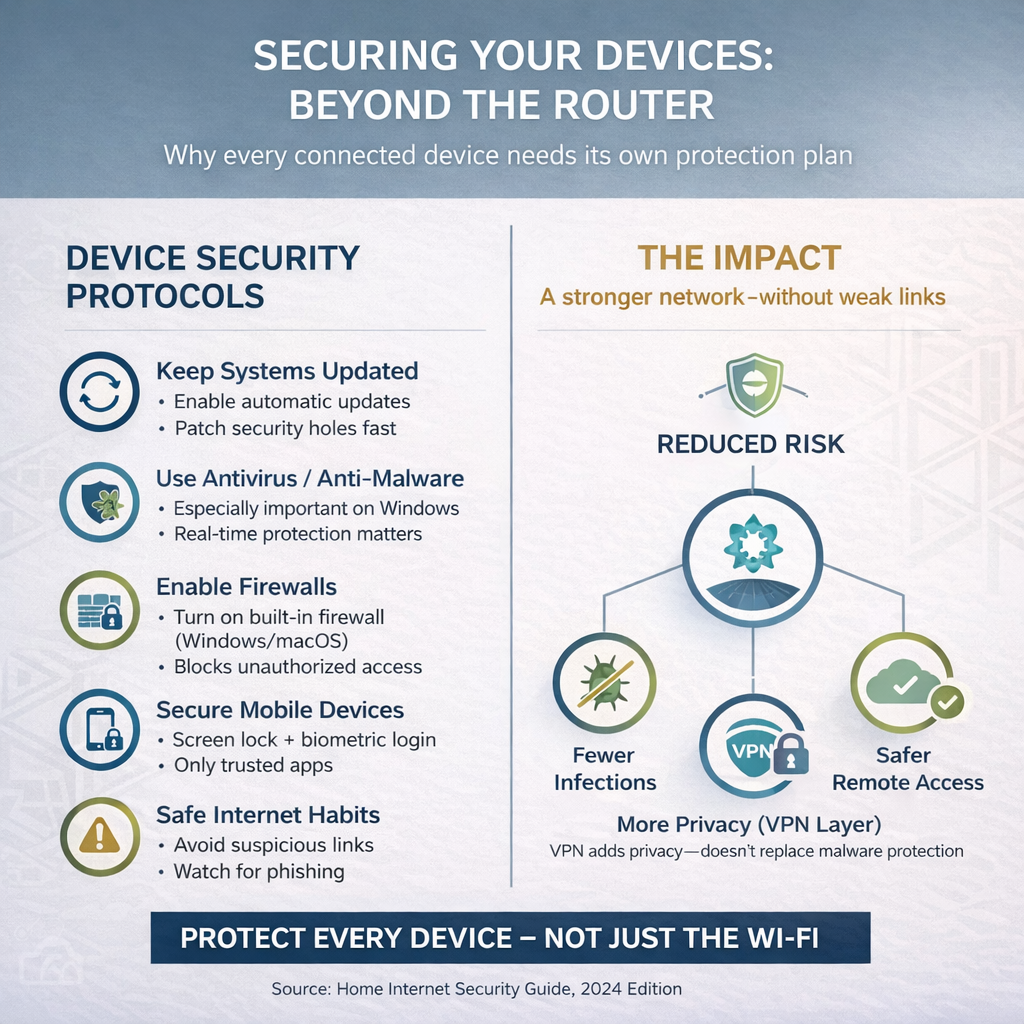
Keep your operating systems updated. Enable automatic updates if available. These updates aren’t just adding features – they’re patching security holes that hackers actively exploit.
Use antivirus/antimalware software on Windows computers. macOS and modern mobile operating systems have good built-in protection, but Windows still benefits from additional security software.
Enable firewalls on all computers. Both Windows and macOS have built-in firewalls that should be turned on. These prevent unauthorized connections to your devices even if someone gets on your network.
The VPN Question
VPNs (Virtual Private Networks) encrypt all your internet traffic, making it invisible to your internet service provider, your network operator, and potential eavesdroppers.
Should you use one at home? It depends on your threat model and privacy preferences. A VPN won’t protect you from malware or phishing attacks, but it does add a privacy layer that some people value.
More important: if you ever use public WiFi – at coffee shops, hotels, airports – a VPN is essential. Public networks are hunting grounds for attackers. Never access sensitive accounts on public WiFi without VPN protection.
The Home Office Security Layer
With remote work becoming permanent for many people, home network security has professional implications. Your employer trusts you to access company systems securely. A compromised home network could mean a data breach that affects your company and your career.
Work Device Isolation
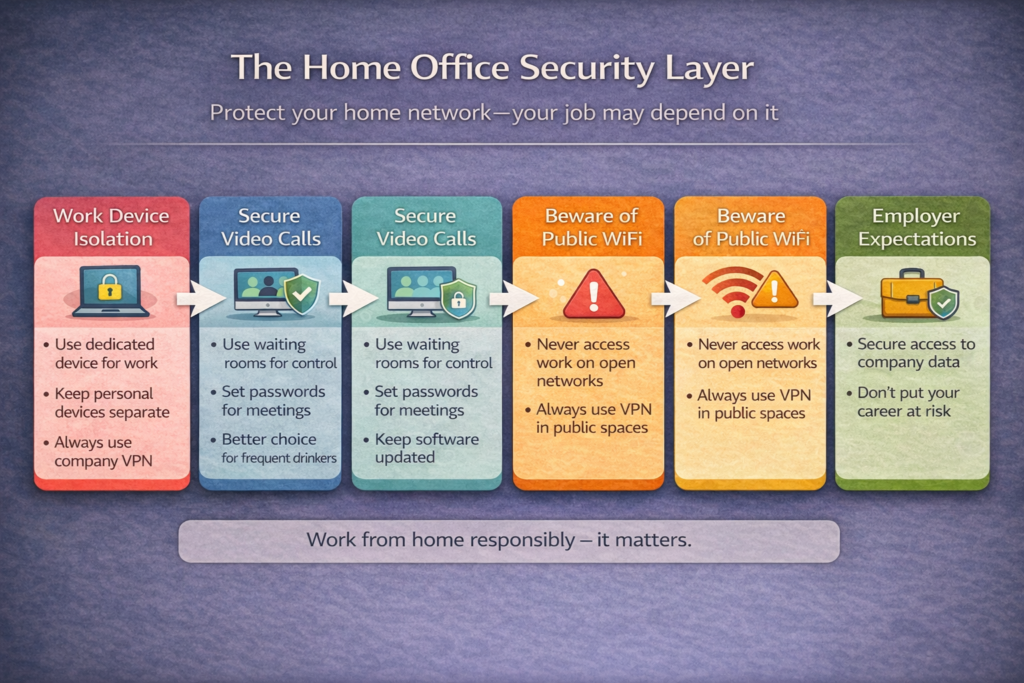
If possible, use a dedicated device for work. Don’t mix personal and professional use. This limits exposure if either environment gets compromised.
Some companies provide VPN access for remote workers. Always use this when accessing company resources. It creates an encrypted tunnel between your home and the company network.
Never access work systems on public WiFi without VPN protection. The risk of interception is too high.
Video Call Privacy
Video conferencing is now a daily reality for many remote workers and students. Secure your video calls:
- Use waiting rooms to control who joins
- Don’t share meeting links publicly
- Enable passwords for sensitive meetings
- Update your video conferencing software regularly
Your home internet connection makes these calls possible. Ensuring that connection is secure protects both your privacy and your professional reputation.
Creating Professional Materials for Your Home Business
As more people work from home, many are also starting home-based businesses or side projects. Your internet connection enables these ventures, but success often requires creating professional-looking materials – websites, marketing graphics, presentations, social media content.
The visual quality of these materials matters enormously. Amateur-looking graphics scream «unprofessional» to potential clients, while polished designs build trust and credibility.
If you’re creating content for a home business, access to quality design resources can make a significant difference. From icons to templates to UI elements, having the right resources at your fingertips helps your home business look as legitimate as any corporate operation.
Typography is another often-overlooked aspect of professional presentation. The fonts you choose communicate as much as the words themselves.. When clients see professional fonts and design, they perceive professional service – even if you’re working from your home office over your residential internet connection.
Making Security Manageable
I know this article covers a lot of ground. Network security can feel overwhelming, especially if you’re not technically inclined. But here’s the good news: you don’t need to implement everything at once.
Start with the critical basics:
- Change default router passwords to strong, unique passwords
- Update router firmware
- Verify you’re using WPA2 or WPA3 encryption
- Set up a guest network
- Check connected devices regularly
These five steps address the majority of common vulnerabilities. You can implement them all in an hour or two.
Then, over time, add additional layers:
- Device security practices
- Family education about threats
- Regular security audits
- Advanced monitoring tools
Security is a journey, not a destination. Every improvement makes you safer, even if you haven’t achieved perfect security (which doesn’t exist anyway).
Your Action Plan for This Week
Don’t let this article become another thing you read and forget. Here’s your action plan for this week:
Today: Log into your router and change the admin password to something strong and unique. Update the firmware if an update is available.
This Weekend: Set up a guest network. Move any smart home devices to that network. Create a list of all devices that should be on your network so you can verify them next month.
Next Week: Have a conversation with your family about WiFi password sharing and online security basics. Make sure everyone understands the rules.
Next Month: Do your first network audit. Check all connected devices. Verify your security settings are still correct.
Put these tasks in your calendar right now. Security only works if you actually do it.
Your home internet connection is the foundation of modern life. It deserves to be secure. With a reliable connection from Wifinet and the security practices outlined in this guide, you can have both the performance and the peace of mind that come from knowing your digital life is protected.
Because at the end of the day, that’s what really matters – not just having internet access, but having internet access you can trust.